Run your entire hall without logbooks, calculators, or guesswork
Track tables, bill customers, and see your real revenue — all in one place.
Works on any device with a browser — tablet at the counter, phone on the floor, laptop in the back office.
Table Sessions
Never lose track of time again.
Run every table with accurate timing — no missed time, no disputes.
- ✓Start solo, doubles, or group sessions with per-table or flat rates
- ✓Choose billing precision: exact time, 15-minute blocks, or 30-minute blocks
- ✓Set a minimum charge time per rate so short sessions still hit your floor price
- ✓Pause and resume sessions when players take a break
- ✓Move players to another table mid-game — the session transfers and the clock carries over
- ✓See clear table status: open, occupied, reserved, or paused
POS & Checkout
Close bills fast — without staff guessing totals.
Combine table time, products, and payments in one checkout flow.
- ✓Product catalog with categories and optional stock tracking
- ✓Orders attach to table sessions automatically
- ✓Split or combine bills at checkout
- ✓Support cash, card, bank transfer, store credit, or custom payment labels
- ✓Void wrong charges — voided transactions are excluded from reports automatically
- ✓Print receipts directly from your browser
Open Tabs
Let regulars run a tab — and never lose the sale.
Park a customer's order and settle it later, without tying up a table session.
- ✓Park any cart as a named tab — pay later, all in one place
- ✓Add to an open tab through the night; stock and totals stay tracked
- ✓Settle in one step with a receipt, or cancel with a logged reason
- ✓Open tabs surface in the POS and as a day-close reminder, so nothing slips
Reservations
Stay ahead of walk-ins and bookings — no surprises at peak hours.
Record staff-managed reservations and convert confirmed bookings into live table sessions.
- ✓Reserve by table, date, and time slot
- ✓Track optional deposit amount, paid status, and payment method
- ✓Start a reservation as a live table session when customers arrive
- ✓See upcoming bookings at a glance on the weekly calendar view
- ✓Mark no-shows and cancellations to keep your records clean
Cash Drawer & Day Close
Close your day knowing the drawer is right.
Track cash from opening float to a reconciled close, with the variance flagged.
- ✓Open the day with a counted float; cash sales, refunds, and paid-outs flow in automatically
- ✓Count the drawer at close — expected vs counted, with the variance flagged
- ✓Record handover counts when cashiers change mid-shift
- ✓Past days stay open until an owner or manager closes them
- ✓A full Z-report snapshot is saved with every close
Reports & Analytics
See your real daily revenue — no end-of-day surprises.
No more end-of-day spreadsheets or mismatched numbers.
- ✓Instant daily totals — no manual closing needed
- ✓Daily revenue breakdown: table time vs. product sales
- ✓Table utilization: active, idle, and reserved hours
- ✓Product sales, memberships, loyalty, and reservation reporting
- ✓CSV export within plan limits for accounting review
Memberships & Loyalty
Turn regulars into repeat revenue — automatically.
Reward loyal customers and keep their activity in one place.
- ✓Customer directory — track names, contact info, and notes for every visitor
- ✓Create membership plans with pricing, duration, and perks
- ✓Points system for eligible transactions when loyalty is enabled
- ✓Member profiles with points balance, visit history, and lifetime spend
Multi-Staff Roles
Control who sees what without slowing down operations.
Give staff access without risking sensitive data.
- ✓Owner, Manager, and Staff roles
- ✓Server-side permission checks
- ✓Shift tracking: clock-in and clock-out
- ✓Plan-gated audit history showing who did what and when
Attention Center
Never miss what needs you.
One bell surfaces everything that needs action across the app — and links straight to the fix.
- ✓Overdue tables, open tabs, low stock, pending reservations, and an unclosed day — all in one place
- ✓Tap any alert to jump straight to the page that resolves it
- ✓Role-aware — staff only see alerts they can act on
- ✓Snooze stock alerts you've already decided on, without losing track
One system — every device in your hall
No downloads, no installs. CuePoint runs in the browser on whatever you already own.
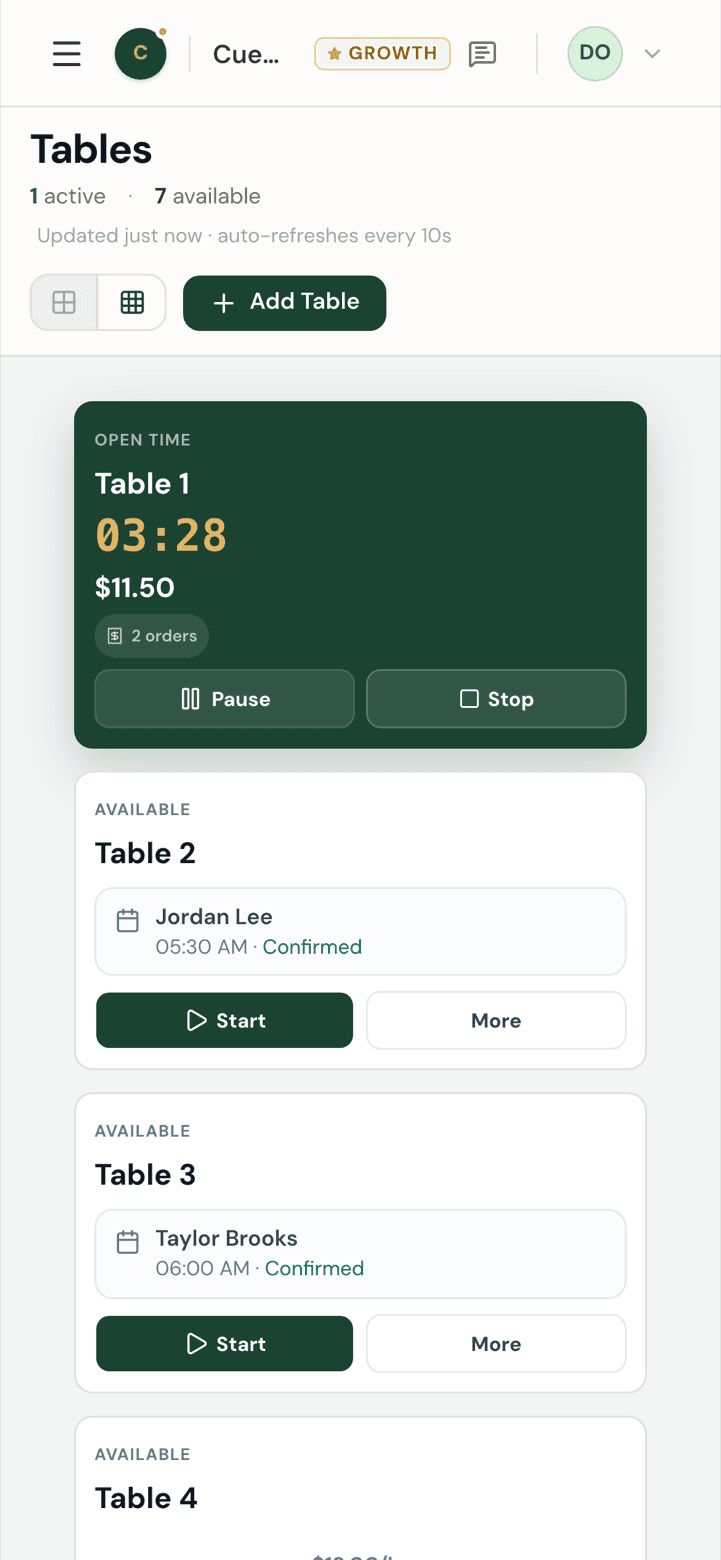
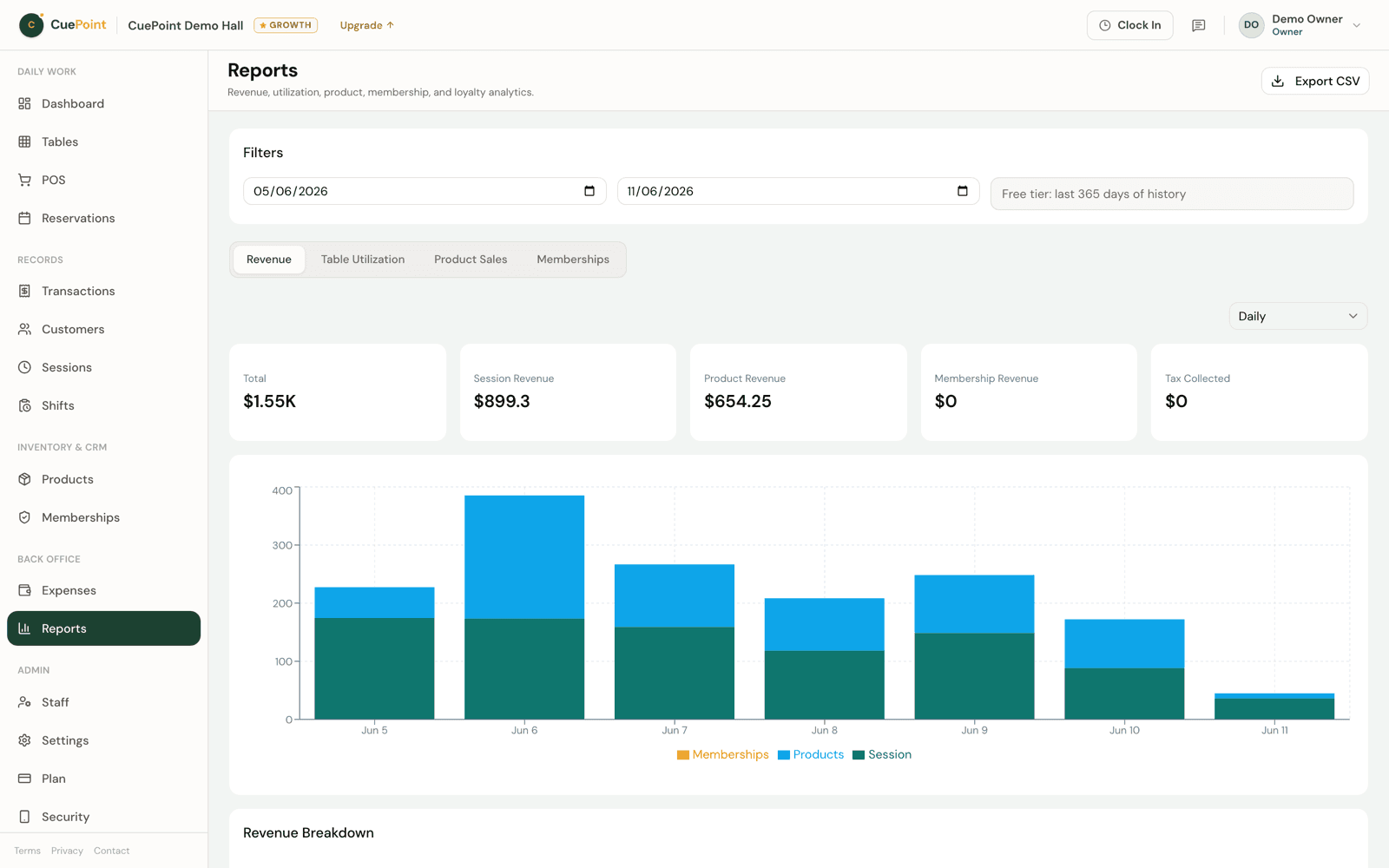

Real screenshots of the live app — no app store, nothing to update.
What's coming next
Built based on real hall feedback — features are added as workflows mature.
Customer portal
Verified customers log in to book tables and check availability — no fake bookings, no staff calls.
Quick member lookup
Find members instantly by phone number at the counter.
Multi-location support
Planned after single-location halls are fully supported.
Have a feature request? Talk to us — we prioritize real operators.
Why hall operators choose CuePoint
Run your hall properly — starting today
Create an account, choose your plan, or book a walkthrough if you prefer.
14-day Pro trial, no credit card. Choose your plan after.